There is no single best punch list app. Pick by who needs to see the list and how you capture items. If trades must open the list with no account, look at PunchPad. If your team runs tasks on the plans, look at Fieldwire, and if you want to speak your items, look at Procore, BuildPass or Mitti.
This page is for the small firm owner, architect or owner's rep who picks construction punch list software and pays by card. You will see what each app does with plans, photos, voice, guests and reports, and the biggest drawback of each. Every fact about another product links to its source (how we check facts). If you want a list today, our free punch list template needs no app.
Walkmic is on the list too, and it is not ready. If you want the beta invite, join the waitlist.
How we compared them
We compared the apps on what matters on a punch walk:
- Plans and pins: can you put an item on a spot on the drawing?
- Photos for each item: can each item carry its own photos?
- Voice: can you speak an item instead of typing it?
- Guests without an account: can trades and owners see the list, or reply, without a paid seat?
- Report: can you send a PDF or a link?
- Offline: does capture keep working with no signal?
- Price model: free, per user, per seat, one time, or by quote.
Facts were checked on 3 and 4 November 2026. The Fieldwire help articles, the Mitti help pages and rename page, Deltek's features article and ArchiSnapper trial and the Procore pricing and support pages were checked on 3 November. The Fieldwire prices and App Store listing, Mitti pricing and AI Issue Creation, Procore Quick Capture, Deltek's product page, BuildPass, PunchPad and Site Audit Pro were checked on 4 November. Prices change often, so check the source before you buy.
Punch list apps at a glance
| App | Best if | Plans and pins | Voice | Guests | Price as listed |
|---|---|---|---|---|---|
| Fieldwire | Your team runs tasks on plans | Tasks on the plan, with photos | Beta sign up | Email report on Pro and Business, no account needed | Basic $0; Pro $39, Business $64, Business Plus $89 per user per month, billed annually |
| PunchPad | Trades need a live link | Not stated | Not stated | Browser link, no app or account | Free download |
| Site Audit Pro | One person writes simple reports | Not stated | Not stated | Not stated | $12.90, plus $7.49 a month or $64.99 a year in app |
| Mitti | You already run inspections there | Not stated | AI suggests issue fields from a voice note | Public report links | Free plan up to 10 seats; paid Premium plan |
| BuildPass | An admin logs items by voice | Not stated | AI fills the item from what you say | Not stated | No prices on the page |
| Deltek ArchiSnapper | You are an A&E firm | Items on the floor plan | Not stated | Item list link with no account | No public prices; 14 day free trial |
| Procore | The contractor runs the project there | Not stated for punch items | Quick Capture (2022) | No charge for more users, except Field Productivity | Custom quote |
| Walkmic | You talk while you walk | Pins on the drawing (planned) | Voice to item (planned) | Free guest link, no account (planned) | In development |
Prices as listed, checked on 4 November 2026 (Deltek and Procore on 3 November 2026). "Not stated" means we found no primary source either way.
Fieldwire
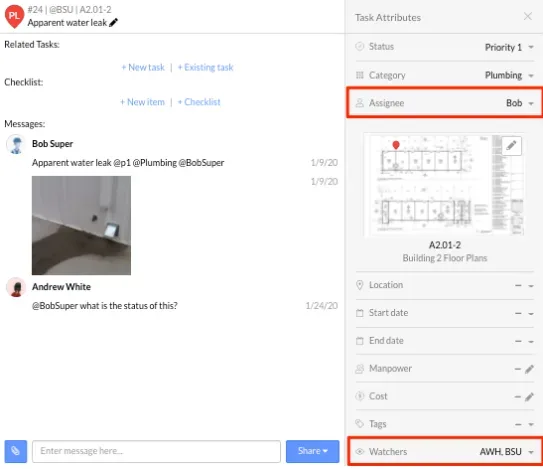
What it is: a construction app for iPhone and iPad from Hilti Fieldwire (App Store). You create tasks directly on a plan, with messages, checklists and photos (Fieldwire help).
Best if: a team needs plans and tasks and fits the $0 Basic plan to start.
Watch outs: task reports (PDF summary, detailed PDF, CSV) are for Pro and Business users (Fieldwire help). Fieldwire says "Fieldwire is priced per user, so adding subs will increase your user count" (Fieldwire help). Voice task creation shows on its AI page under a beta sign up (Fieldwire).
Good to know: a report can go to any email address, and "the recipient does not need to have a Fieldwire account or be invited to your project" (Fieldwire help). The Android and iOS apps work offline (Fieldwire help).
Price: Basic $0. Billed annually, Pro is $39, Business $64 and Business Plus $89 per user per month (Fieldwire pricing), checked on 4 November 2026.
PunchPad
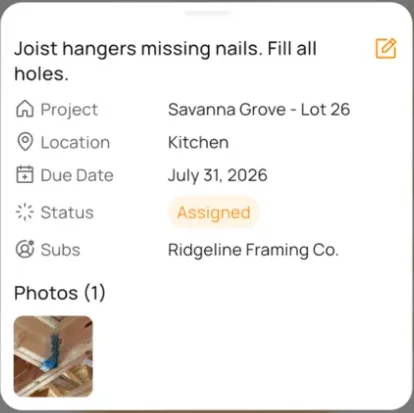
What it is: "PunchPad: Punch List App" by PunchPad LLC, a free download for iPhone and iPad (App Store).
Best if: your trades should see the latest list without signing up for anything. The listing says: "Share one live punch list link with your trades. They can view the latest items from their browser without downloading an app or creating an account." (same listing).
Watch outs: version 1.0 is dated 17 September 2025 (same listing). We found no primary source on plans, pins or offline use.
Price: free download (same listing), checked on 4 November 2026.
Site Audit Pro

What it is: Site Audit Pro by Veam Studios Ltd, for iPhone and iPad (App Store).
Best if: one person writes simple site audit reports on an iPhone or iPad and is fine with a paid app.
Watch outs: the app costs $12.90, and the listing also offers in app purchases (same listing). We found no primary source on guest access or pins on plans.
Price: $12.90 on the US App Store, with in app purchases of $7.49 a month or $64.99 a year (same listing), checked on 4 November 2026.
Mitti
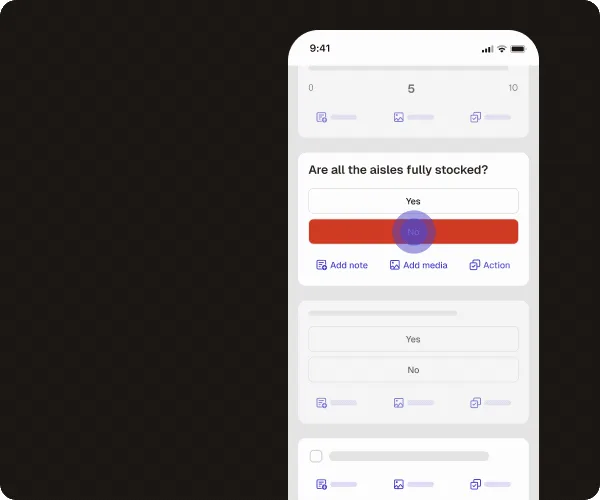
What it is: Mitti, formerly SafetyCulture, is an inspection platform (Mitti). With AI Issue Creation, you record a voice note and attach photos, AI suggests the issue fields, and you can review, edit or clear any field before you submit (Mitti help).
Best if: you already run inspections in Mitti and want voice to issue in the same place.
Watch outs: AI Issue Creation has an on or off setting, and the help page covers reporting through the mobile app (same help page). Offline, you can edit only inspections stored on your device (Mitti help).
Good to know: you can add photos to each question (Mitti help). Report links are public links you can share with anyone to view in a browser, on any plan (Mitti help).
Price: a free plan for teams of up to 10 seats, and a paid Premium plan (Mitti pricing), checked on 4 November 2026.
BuildPass
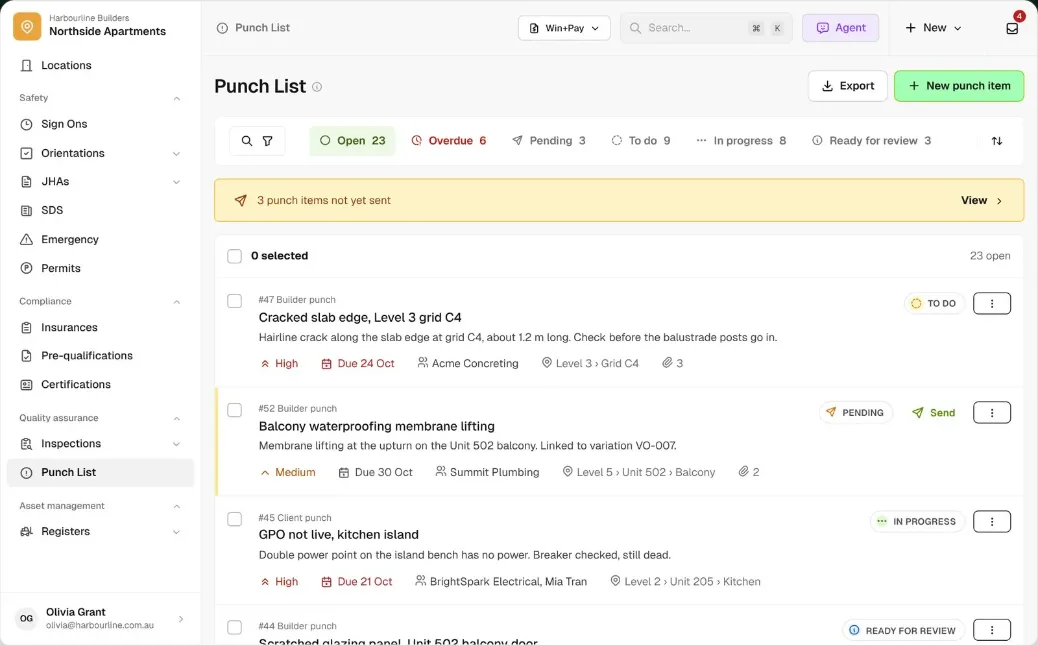
What it is: a construction punch list app. BuildPass says: "Say what you see on the jobsite and AI fills in the title, type, priority, location and due date." It never picks an assignee for you, and "nothing saves until you check it" (BuildPass).
Best if: an admin wants to log punch items by voice and send each one to the sub responsible, as BuildPass describes it (same page).
Watch outs: voice works in the admin form in a laptop, tablet or phone browser, not the worker app, and an Owner or Account manager must switch on AI tools and voice in Settings (same page). Only an admin can close a punch item (same page). The page shows no prices.
Price: no prices on the page, checked on 4 November 2026.
Deltek ArchiSnapper
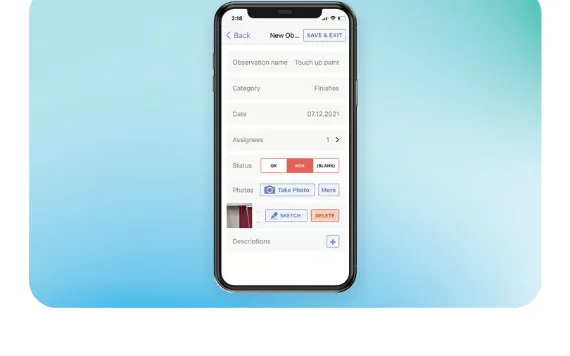
What it is: Deltek describes ArchiSnapper as "a mobile field reporting and punch list app built for A&E firms of any size" (Deltek). It runs on Android and iOS and in a web browser (same page).
Best if: you are an architecture or engineering firm and the punch list is part of your field report.
Watch outs: Deltek shows no public prices, and we found no primary source on offline use.
Good to know: you tap a location on the floor plan to add an item with photos, assignees and a status. A filtered item list can be shared as a link with "no ArchiSnapper account required", and assignees who reply get a free account that shows their open items (Deltek).
Price: no public prices; a 14 day free trial (Deltek), checked on 3 November 2026.
Procore
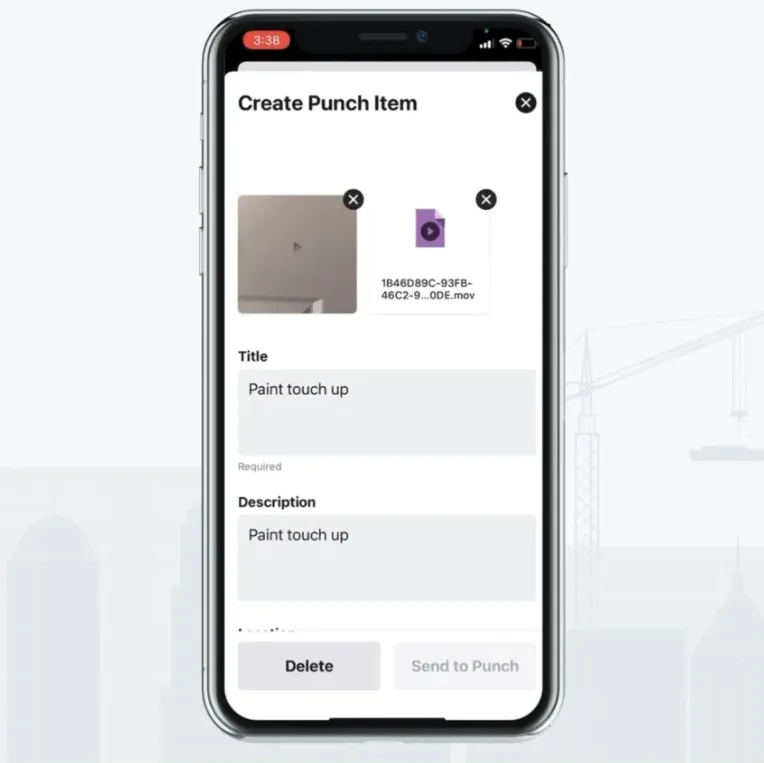
What it is: Procore's Punch List tool "is used at the end of a project to keep track of remaining items to complete", and punch items export as PDF (Procore support). In a September 2022 blog post, Procore said Quick Capture lets you record video while you dictate punch items, and it fills the key fields (Procore).
Best if: the general contractor already runs the project in Procore and invites you.
Watch outs: there are no public prices. Procore quotes an annual fee by product, based on annual construction volume (Procore pricing).
Good to know: Procore says it will "never charge you for adding more users", including clients, subcontractors and vendors, except for its Field Productivity product (same page). The iOS and Android apps work offline; new project data needs a connection (Procore support).
Price: custom quote (Procore pricing), checked on 3 November 2026.
Other punch list apps
Also worth a look: Punch List & Site Audit Report, Drawboard Projects and PlanRadar.
Walkmic (in development)
Walkmic is an app we are building for the architect's field report, planned for iPad, iPhone and Android. The punch list is a part of that report. The plan: you walk and talk. Where you see an issue, you tap the drawing, say what you see and take a photo. AI drafts the item with the room, the trade and the severity, and you confirm it. Before you leave, the field report is drafted with the punch list inside it. Guests get a link they open free in any browser, with no account.
Voice to item is not new: Procore, BuildPass and Mitti already turn speech into items, as described above. What we are building is the field report around the drawing, done on site.
The drawbacks are real:
- You cannot use the app today. The beta is planned for early 2027.
- No RFIs or submittals.
- No Revu tool set import and no sync with Revu on the desktop. If you came from Revu for iPad, see Revu for iPad alternatives.
- The AI does not check building code, accessibility or safety rules. You confirm every item.
A free plan and a 14 day free trial of Pro are planned, and guests are always free. See pricing for the early access price. To try the idea now, the free punch list maker runs in your browser with no account.
Which one should you pick?
- Trades must see the list with no account. Start with PunchPad, or send Fieldwire reports by email (Pro and Business plans).
- Your team runs tasks on the plans. Fieldwire, starting on the $0 Basic plan. Count your subs as users.
- You want to speak your items. Procore if the contractor runs the job there, BuildPass if an admin logs items in the browser, Mitti if you already run inspections there.
- You are an architect and the punch list is part of your field report. Deltek ArchiSnapper today, or join the Walkmic waitlist for the beta. For the walk itself, see what a punch list is.
Next step: run one real walk in your top two apps before you pay. If you want the report done while you walk, join the Walkmic waitlist.
Fieldwire is a trademark of Hilti. PunchPad, Site Audit Pro, Veam Studios, Mitti and SafetyCulture, BuildPass, Deltek and ArchiSnapper, Procore, Rojao, Drawboard, PlanRadar, Bluebeam and Revu, Apple and iPad belong to their owners, as do other product names on this page. Walkmic is not affiliated with any of them. Facts checked on 3 and 4 November 2026.