A construction field report records one site visit. It holds the project, the report number, the date and time on site, the weather and the people and trades on site. It also holds the work in progress, numbered observations with photos, the items that need action with who owns them, a photo log, the next visit and your signature. It goes to the owner and the contractor after each visit.
This field report template is for architects and owner's reps doing construction administration. Some firms call it a field observation report. Below, we explain each part of the form and show a filled example of one visit.
Download the field report template
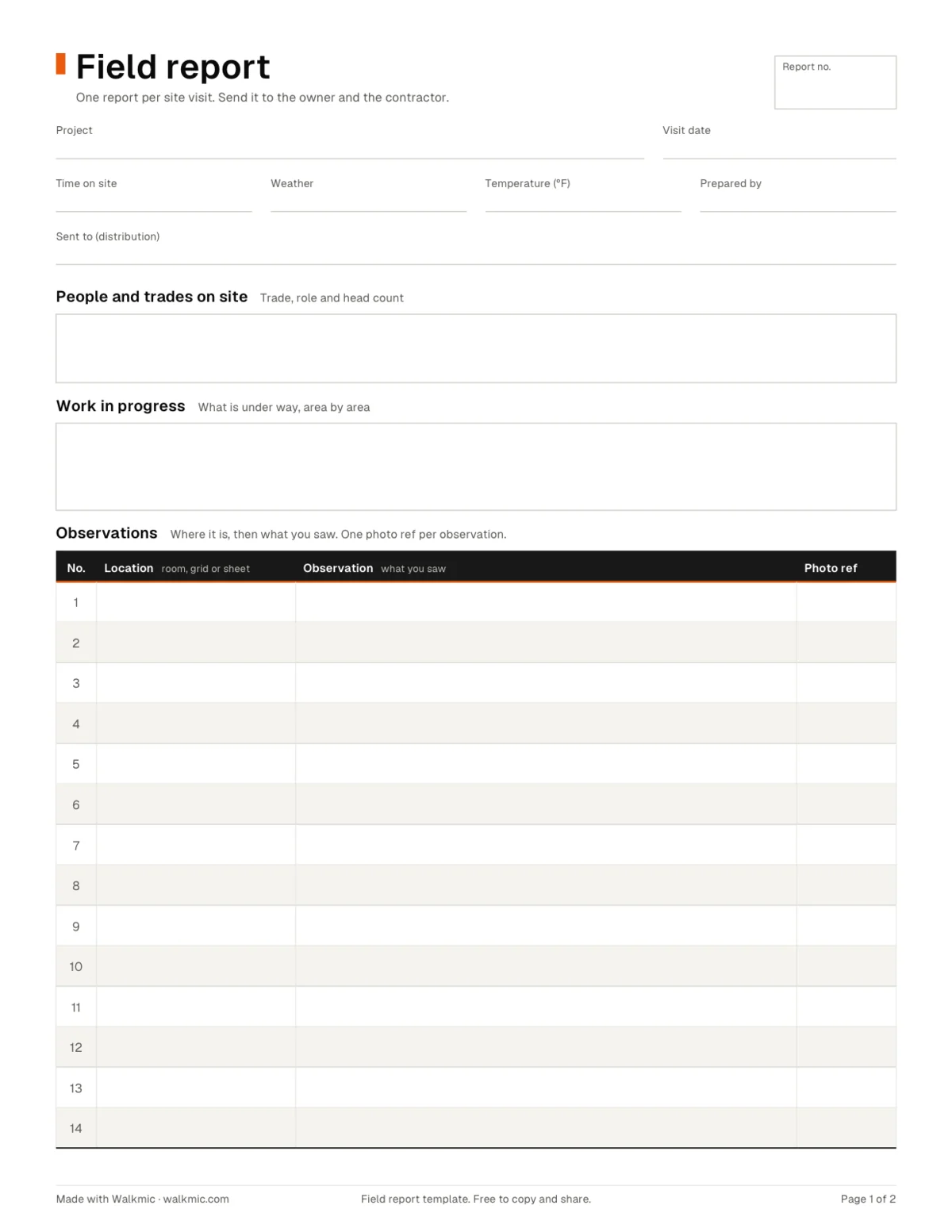
| File | Best for | What you get |
|---|---|---|
| Printable PDF (104 KB) | Walking with a clipboard, or filling in on a tablet | US Letter, 2 pages. Page 1: visit details, people on site, work in progress and observations. Page 2: items that need action, a photo log, the next visit and a signature line. |
| Excel workbook (.xlsx, 20 KB) | Typing the report at the desk and tracking open items | A Field report sheet, an Open items table with dropdowns for status and party, a filled Example sheet and a How to use sheet. Print setup on the report and example sheets. |
| Google Sheets | Sharing the open items with the team | Use the Excel workbook. Upload it to Google Drive and open it with Google Sheets, or choose File, then Import. |
| CSV (under 1 KB) | Importing the open items into another app | The Open items columns (No., Location, Description, Trade or party, Due, Status) and 50 numbered rows as plain text. No formatting and no footer row. |
What goes in a field report
The template follows our own structure. Fill in the parts in this order:
| Part | What to write | Example |
|---|---|---|
| Project and report number | The project name and a number that goes up by one each visit | Report 7 |
| Visit date and time on site | The date and the hours you were there | 12 November 2026, 9:00 to 10:30 |
| Weather and temperature | Sky, rain or snow, and the temperature | Cloudy, dry, 54 °F |
| Prepared by and sent to | Your role, and who gets the report | Project architect; sent to the owner's rep and the contractor's project manager |
| People and trades on site | Who was working, and how many | Drywall crew (6), electrical (3), plumbing (2) |
| Work in progress | What is under way, by area | Level 2 taping in the east wing |
| Observations | What you saw, where, and the photo number | Fire caulk missing at two pipe penetrations, grid C4 |
| Items that need action | The fix, the trade or party, the due date and the status | Seal the penetrations before ceiling close in, plumbing, 19 November 2026 |
| Photo log | Each photo number with one line about it | P07 02: penetrations above the corridor ceiling |
| Next visit and signature | The date of the next visit, your name and the date you sign | 19 November 2026 |
Keep observations and items apart. An observation is what you saw. An item is what someone must do, by a date.
A filled example (sample field report)
This field report example is also the Example sheet in the Excel file. It is a sample, not a real project.
Project: two story office building · Report no.: 7 · Visit: 12 November 2026, 9:00 to 10:30 · Weather: cloudy, dry, 54 °F · Sent to: owner's representative, contractor's project manager
People and trades on site: the contractor's superintendent, a drywall crew of 6, 3 electricians and 2 plumbers.
Work in progress: level 2 taping and mud under way in the east wing. Level 1 ceiling grid in the lobby. Plumbing rough in at the level 2 restrooms.
| No. | Location | Observation | Photo |
|---|---|---|---|
| 1 | Level 2, room 204 | Drywall hung and taped. Corner bead dented at the door frame. | P07 01 |
| 2 | Level 2 corridor, grid C4 | Fire caulk missing at two pipe penetrations above the ceiling line. | P07 02 |
| 3 | Level 1 lobby | Ceiling grid 1 inch off the layout at the storefront, per A5.11. | P07 03 |
| 4 | Exterior, north wall | Window flashing installed and lapped as shown on A4.02. | P07 04 |
| No. | Location | Item that needs action | Trade or party | Due | Status |
|---|---|---|---|---|---|
| 1 | Level 2 corridor, grid C4 | Seal the two pipe penetrations with fire caulk before ceiling close in. | Plumbing | 19 November 2026 | Open |
| 2 | Level 1 lobby | Shift the ceiling grid to match A5.11 at the storefront. | Ceilings | 19 November 2026 | Open |
| 3 | Room 204 | Replace the dented corner bead at the door frame. | Drywall | 26 November 2026 | Open |
Next visit: 19 November 2026.
How to write field report observations
- Say where. Give the room, the grid line or the sheet number, so anyone can find the spot.
- Say what you saw. "Fire caulk missing at two pipe penetrations" is clear. "Poor work at the penetrations" is not.
- Add one photo per observation. Write the photo number in the row, and keep the photo log in the same order.
- Write what needs to happen as an item. Give it a trade or party and a due date, and carry it until it is closed.
- Number and date every report. Report 7 should never surprise anyone who read report 6.
This template is a form, not advice. Your contract and your firm decide what your field reports must cover and who receives them.
Field report, site visit report or punch list?
Field report and field observation report. Most firms use these names for the same report after a site visit during construction. This template covers both.
Site visit report. Many owners and firms use this name for the same visit report. If your client expects it, change the title on the form.
Punch list. Near substantial completion, the items that need action turn into a punch list: one row per item still to finish or fix. Use the free punch list template for that walk, and our guide on how to run a punch walk for the steps.
In Canada: field review report
Some Canadian architects call the report after a site visit a field review report. The same template works. Change the title to the one your client expects.
Writing the report before you leave the site
The visit takes an hour. The report often takes the evening: notes on a clipboard, photos in the camera roll, clouds on a marked up PDF, and the same headings typed again for report 8.
That is the problem we are building Walkmic for. Walkmic is a field report app in development for iPad, iPhone and Android. As planned, you will walk the site and talk, take photos and tap the drawing for each item that needs action. The AI is planned to draft this report as you go. You will review every line, edit it and sign it before you leave. The beta is planned for early 2027.
Until then, use the template above, or make the report in your browser with the free field report maker. If you want the beta invite, join the waitlist.